
Best Digital Planners: Screen Size, Software and Who Still Supports Them
As an Amazon Associate I earn from qualifying purchases. Some links may earn us a commission at no extra cost to you.
Spend an hour in this category and you notice something: almost every listing is one of three panel sizes. Roughly ten inches, roughly fifteen and a half, or roughly twenty one and a half, and the same size turns up under a dozen brand names at prices that differ by more than double. The panel is rarely what you are choosing between. What actually differs is the software on top, whether the maker will still be answering emails in three years, and whether the features you bought it for are included or sit behind an annual charge. These are cloud devices, so calendar syncing depends on somebody’s servers staying up. So I score these on the software and support behind the screen, and the picks are arranged by size, because size is the decision you make first.
Top picks
Full wall size, around 21.5 inches
Apolosign 21.5-inch Dual Mode — Best for doing more than a calendar
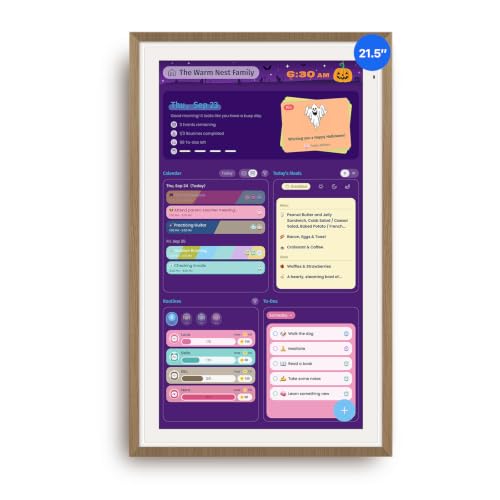
- Smart Family Smart Calendar– No Subscription Required: Keep your entire family organized in one place with the Apolosign Digital Calendar & Smart Wall Planner. Sync schedules, events, chores, reminders, and shared calendars from Google Calendar, iCloud, Outlook, and more. Designed to bring daily family life into better organization — all without any monthly subscription fees.
- Dual Mode: Calendar & Android: Switch easily between Calendar Mode for simple family scheduling, and Android Mode for a fully customizable dashboard. One touch lets you personalize your screen with apps and widgets or keep it clean and focused.
- Interactive Chore Chart, Routine & Family Planner: Make daily routines easier and more engaging with reward-based chore tracking. Help kids stay motivated by completing tasks, building habits, and earning rewards. Families can manage grocery lists, shopping lists, wish lists, and weekly meal planning all in one shared digital space through the Apolosign Calendar App.
Why it wins: This one switches between a calendar interface and a full Android dashboard, so you can install apps and widgets rather than living inside whatever the maker shipped. That matters more than it sounds on a device meant to last years: if the calendar software stops being updated, an Android panel still has a second life as a smart display.
Pros
- Runs apps and widgets, so it is not locked to one interface
- Large enough to read a full week from across a kitchen
- No subscription attached to the planning features
- Wall mount included, in a finish that suits a living space
Cons
- The most expensive option on this page
- Needs a wall with a power outlet near it, which is a real constraint
- Android mode is a layer on top rather than a polished tablet experience
Skip it if: the spot you have in mind is a worktop rather than a wall.
Scores: Software 4/5 | Support outlook 4/5 | Legibility 5/5 | Value 3/5
21.5-inch Digital Calendar Wall Touch Screen — Best big screen for the money
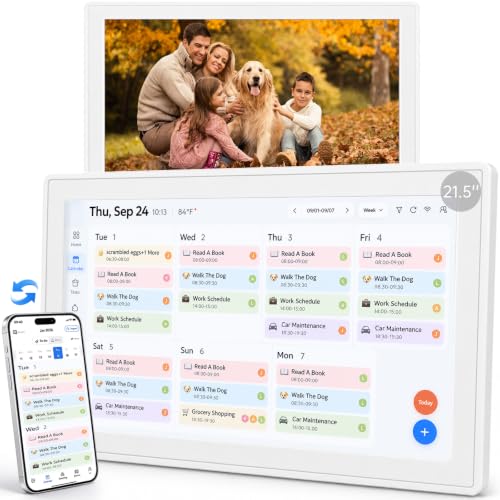
- 【All-in-One Family Command Center】Bring schedules, chores, meal plans, lists, and everyday family routines together on one spacious 21.5-inch touchscreen. This digital calendar gives everyone a shared place to see what’s happening, stay organized, and coordinate busy days—from school and work to appointments and family activities.
- 【Big Touchscreen, Easy for Every Generation】The spacious 21.5-inch HD touchscreen of our smart calendar makes everything easier to see and navigate. Simple, intuitive controls help everyone—from kids to grandparents—plan together, manage everyday family life, and stay connected.
- 【Calendar Syncing with No Subscription Fees】Bring everyone’s schedules together while keeping the calendar apps your family already uses. Sync compatible calendars including Google, Outlook, and iCloud, so the whole family can stay on the same page—with no monthly subscription required.
Why it wins: A thousand ratings and a thousand sold a month on the same twenty one and a half inch panel the premium names use, at a good deal less. The size is the entire point of buying one of these for a family: at this scale a week of colour-coded entries is readable from the far side of a room, which is what makes anyone actually look at it.
Pros
- The big-screen experience without the premium brand price
- Solid sales volume, so the model is well proven
- Chore chart, photo frame and stand included
- No ongoing fee on the core features
Cons
- Generic branding, so support quality is unknown
- Rating sits below the better-known names
- Heavy enough to need proper wall fixings
Skip it if: you want a company likely to still be patching the software in five years.
Scores: Software 3/5 | Support outlook 3/5 | Legibility 5/5 | Value 5/5
Mid size, 14 to 16 inches
Skylight Calendar 2, 15-inch — Best overall
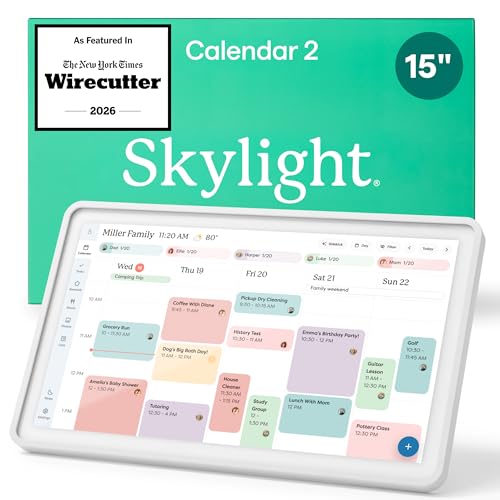
- THE ULTIMATE DIGITAL CALENDAR FEATURED ON WIRECUTTER: Meet the latest from Skylight, the Calendar 2 – includes all of the features already loved by millions of busy families, like digital calendar and chore chart, with an upgraded design and trusted by parenting experts. Featured by Wirecutter for helping families stay organized and share responsibilities. Advanced hardware and swappable Snap Frames make weekly planning look better than ever.
- EVERYTHING AT A GLANCE: The Skylight Calendar 2 features a stunning 15" Full HD display with bright and vibrant color, designed for clear visibility throughout the day. This digital wall calendar keeps schedules, chores, routines and more easy to read at a glance in busy family spaces.
- CUSTOMIZABLE DESIGN: Includes a removable magnetic Snap Frame, a 180° adjustable stand and wall mount with built-in level allowing you to personalize your digital wall calendar. Table, counter-top, or wall-mounted, our digital calendar fits perfectly in any room setup.
Why it wins: Seven thousand ratings and five thousand sold a month, which is the largest owner base in this category by a distance, on the most polished calendar syncing here. Be clear on what you get: calendar sync, the shared family view, lists and basic chore charts all work with no further payment, while meal planning, chore rewards and the photo screensaver sit on a paid annual tier.
Pros
- Much the largest review base and sales volume here
- Best-supported syncing with Google, iCloud, Outlook and Cozi
- The core calendar works fully without paying again
- The company has been in this category long enough to have a track record
Cons
- Costs more up front than any similarly sized rival
- Meal planning, rewards and the photo screensaver are a yearly subscription
- The subscription is easy to miss until after it is set up
Skip it if: meal planning was the reason you wanted one, since that is the paid tier.
Scores: Software 5/5 | Support outlook 5/5 | Legibility 4/5 | Value 3/5
Dragon Touch 15.6-inch — Best value from an established brand
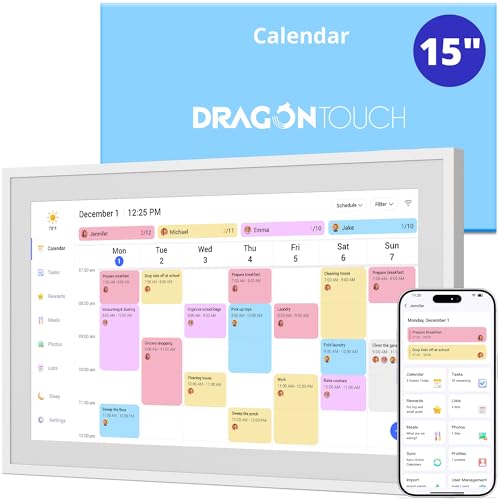
- 【Real-Time Sync, Zero Subscription Fee】: This Dragon Touch smart calendar syncs instantly with Google Calendar, Outlook, and iCloud — every schedule update appears on the 15.6" FHD touchscreen within seconds. No monthly fees, no subscriptions, ever. All core features are free for life.
- 【All-In-One Family Command Center】: Replace the messy fridge paper calendar with one organized screen. Color-code each family member, view everyone's schedules side by side, and end the "who's picking up the kids?" confusion — perfect for busy households of 2 to 10 members.
- 【Motivating Chore Chart for Kids】: Turn chores into a game. Assign tasks, check them off on the interactive touchscreen, and watch kids build healthy habits with visual to-do lists. Also includes a dinner planner to end the daily "What's for dinner?" question.
Why it wins: Two thousand sold a month at 4.6, from a company that has been making photo frames and tablets for years rather than a name that appeared last season. Of everything here, this is the one that balances a real brand behind it against a price well under the category leader, which is the sensible pick when nobody is certain the household will take to the idea.
Pros
- Established brand with a history of supporting its hardware
- Strong rating and high sales volume together
- Wall and desk mountable, so placement stays flexible
- Doubles as a photo display between glances
Cons
- Software is less refined than the market leader’s
- 1080p across a 15.6 inch panel looks coarse close up
Skip it if: software polish is specifically what you are paying for.
Scores: Software 4/5 | Support outlook 4/5 | Legibility 4/5 | Value 5/5
15.6-inch Full HD Smart Calendar — Most mid-size owner feedback
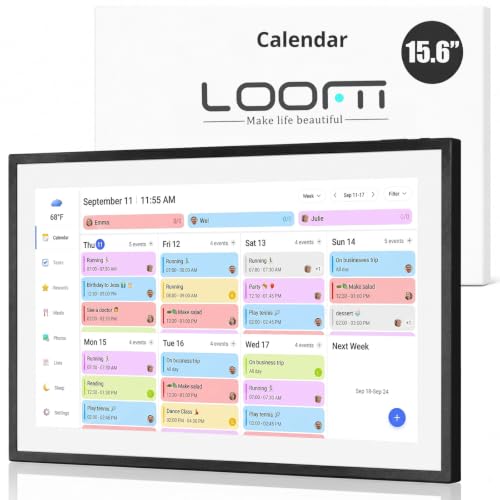
- 15.6″ FHD Display & Smart Calendar Sync: Effortlessly sync Google, iCloud, Outlook, and other calendars via our free eCalendar App. View and manage your schedule in vibrant Full HD clarity.
- Switchable Digital Picture Frame: When idle, transform into a digital photo frame to upload and display your favorite pictures in a beautiful, dynamic slideshow.
- Interactive Chore & Reward Tracker: Create, assign, and track chores with customizable rewards to motivate your kids and celebrate their achievements.
Why it wins: Two thousand four hundred ratings is the second largest body of owner evidence on this page, which counts for a lot in a category full of listings with a few dozen reviews. A full HD panel at this size, with chore charts and meal planning included rather than upsold, covers what most households want from one of these.
Pros
- Large review base for a non-premium brand
- Meal planner and chore chart included outright
- Full HD resolution at the common mid size
- Wall mountable with the fittings in the box
Cons
- Lower monthly sales than the leading names
- Generic brand, so long-term software updates are a question
- Setup instructions are thin, by several owner accounts
Skip it if: you want hand-holding during setup.
Scores: Software 3/5 | Support outlook 3/5 | Legibility 4/5 | Value 5/5
Westsee 15.6-inch No Subscription — Best with nothing held back
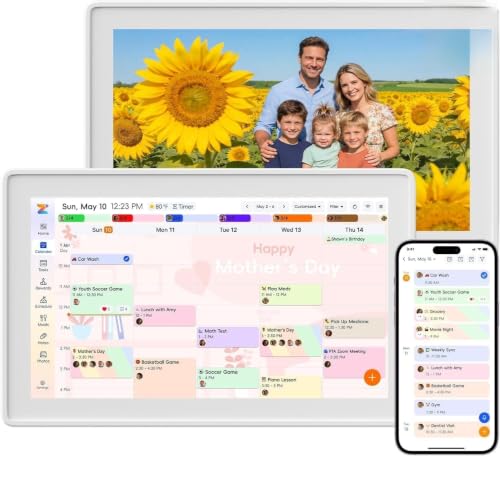
- Digital Calendar Wall Planner: Keep your family organized with the Westsee 15.6" touchscreen electronic calendar. Use your family calendar for schedules, meals, and chores, with color-coded tasks that make responsibilities easy to see. Customize the device’s Home screen with available widgets to keep daily plans and family information in one convenient view.
- Effortless Calendar Sync: Connect through the Zical App and enjoy two-way sync for Google/iCloud/Outlook. Add or edit events on-screen or in the app for cross-device updates. Other supported calendars use one-way sync. Choose Day, Week, Month, or Custom Views. Built-in smart sound reminders help you remember birthdays and important events, while notes keep everyday details handy.
- Build Habits & Streamline Your Life: Help children build habits with a task planner & rewards system that lets them earn stars for completed chores and redeem rewards. Set the weekly menu in advance and stay connected by commenting on tasks and meals. The parental lock (Parent PIN) helps protect selected settings and family content. Weather updates and automated sleep mode help this family hub fit your routine.
Why it wins: Meal planning, chore charts, tasks and photo display all included, on a named brand rather than an unbranded listing. If the features behind the leader’s annual tier are exactly the ones you wanted, buying a device that ships with them costs less across any realistic ownership period.
Pros
- Everything included rather than split across a paid tier
- Comes with both a wall mount and a desk stand
- Priced below most mid-size rivals
Cons
- Smaller review base than the established names
- Included today is a promise, not a guarantee, on a cloud device
- Less polished syncing than the market leader
Skip it if: you are buying this for someone who would struggle without good support.
Scores: Software 3/5 | Support outlook 3/5 | Legibility 4/5 | Value 5/5
14-inch Digital Calendar Touch Screen — Best middle ground
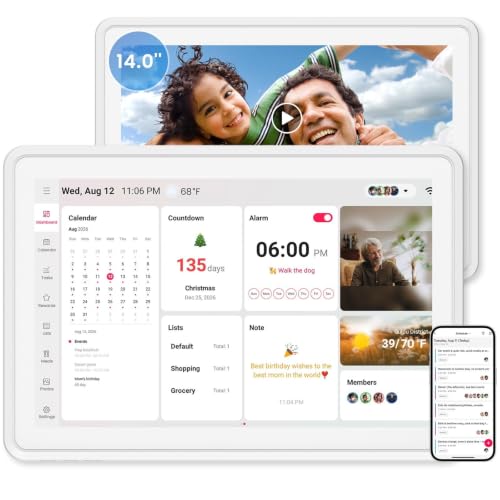
- 【Smart Family Hub – Organize, Plan & Connect in One Place】Skyzoo 14-inch digital calendar wall touch screen transforms your home into a well oiled command center. It combines a shared family calendar, meal planner, chore chart with reward system, and even a digital photo frame into one sleek device. The crisp 14" HD touchscreen is perfectly sized for kitchens, entryways, or kids' study corners—delivering all the power of a large planner without dominating your wall or desk space.
- 【Real Time Sync Across All Platforms – No Monthly Fees】Never miss an appointment again. Skyzoo syncs instantly with Google Calendar, Outlook, iCloud, Yahoo, and more, allowing every family member to add or edit events from their own phones or computers. Changes appear on the big screen in real time. And the best part? There are zero subscription charges—one purchase gives you lifetime access to premium scheduling, so you keep more money in your pocket.
- 【Interactive Chore Chart + Reward System That Kids Love】Turn daily tasks into a motivating game. Parents can assign custom chores, set point values, and track completion, while children eagerly check off items to earn rewards. The colorful, intuitive interface encourages responsibility and independence, making it easier to manage household duties without constant reminders. This feature is a lifesaver for busy families with school age kids.

Why it wins: Nineteen hundred ratings at 4.6, on the size that resolves the usual argument: ten inches is too small for a family wall and twenty one is too much for a hallway. Fourteen inches reads clearly from a few paces, fits beside a doorway, and costs a fraction of the big panels.
Pros
- The size that suits a hallway or a small kitchen
- Strong rating across a substantial review base
- Chore chart, meal planner and photo display included
- Light enough to mount without heavy fixings
Cons
- Still too small to read a full week from across an open-plan room
- Unbranded, so support is unproven
Skip it if: more than three or four people need to read it from a distance.
Scores: Software 3/5 | Support outlook 3/5 | Legibility 4/5 | Value 5/5
Desk size, around 10 inches
LOVCUBE 10.1-inch — Cheapest sensible way in
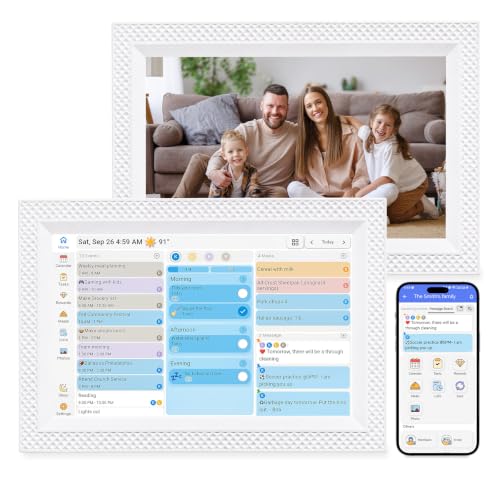
- 【10.1" HD Touchscreen Digital Family Calendar】: Replace paper planners and sticky notes with a smart electronic calendar that syncs seamlessly with Google Calendar, iCloud, Outlook, Cozi, and Yahoo Calendar via a dedicated app. Designed for both wall mounting and desktop use, it lets you color-code each family member's schedule and switch between daily, weekly, and monthly views. Enjoy real-time updates across all devices — and never miss a meeting, school event, or appointment again.
- 【Built-in Chore Chart & Reward System】: Turn daily routines into a fun game with a customizable chore tracker and points-based reward system. Kids tap the screen to check off tasks—from homework to pet care—earning stars and prizes you set. This digital organizer builds good habits, reduces nagging, and keeps the whole family accountable without paper clutter.
- 【Quick Setup, Zero Hassle】: Plug in, download the free app (iOS/Android), scan the QR code to pair, follow the wizard to connect Wi‑Fi and sync calendars, and you're ready in minutes; plus, enjoy full remote control from anywhere to add events, set reminders, assign chores, check schedules, and receive real‑time push notifications, so you always stay on top of your household.
Why it wins: Currently third in Amazon’s own digital calendar ranking at 4.6 across several hundred ratings, with a two year warranty and no subscription on any function. This is how to find out whether a household will actually use a screen like this before committing to a wall panel, and it sits on a desk or a kitchen shelf rather than needing a mount.
Pros
- The cheapest entry point on the page by a wide margin
- Two year warranty, which is unusual at this price
- Syncs with Google, iCloud, Outlook, Cozi and Yahoo
- Works as a photo frame when nobody is checking the schedule
Cons
- Ten inches is too small to read a family week from across a room
- Lower resolution than the larger panels
- Owners note the screen has no automatic sleep, so it stays lit
Skip it if: this is meant to be the household command centre on a kitchen wall.
Scores: Software 4/5 | Support outlook 4/5 | Legibility 2/5 | Value 5/5
Quick compare
- Apps and widgets: Apolosign 21.5 inch, priciest here
- Big screen value: 21.5 inch wall touch screen, generic brand
- Best overall: Skylight Calendar 2, paid tier for meal planning
- Known brand value: Dragon Touch 15.6 inch, less polished software
- Most mid-size reviews: 15.6 inch full HD, thin setup instructions
- Nothing held back: Westsee 15.6 inch, smaller review base
- Middle size: 14 inch touch screen, unbranded
- Cheapest way in: LOVCUBE 10.1 inch, too small for a wall
Two things decide this more than the spec sheet. Measure the distance from where people will stand to where the screen will hang before you choose a size, because every complaint about these devices going unused traces back to a screen nobody could read at a glance: roughly ten inches works at arm’s length, fifteen at a few paces, twenty one across a kitchen. And check which calendar systems sync and in which direction, since a device that only displays your calendar is a very different thing from one the family can add events to from their phones, and two-way sync with Google, iCloud and Outlook is what makes it a shared planner rather than a shared screensaver.
As an Amazon Associate, I earn from qualifying purchases.